
All Games
Aerofly FS 4 Flight Simulator System Requirements
July 4, 2022IPACS
Pilot a range of aircraft, from vintage planes to modern jets, across a detailed, photorealistic Earth in Aerofly FS 4. Experience over 10,000 simulated flights with intricate cockpits and environments, including VR support for immersive gameplay.
Aerofly FS 4 Flight Simulator Minimum & Recommended Specs
Minimum: Intel Core i5-4590, Nvidia GeForce GTX, 8 GB RAM. Recommended: 16 GB RAM RAM.
Minimum System Requirements
Recommended System Requirements
Trailer
Quick Performance Tips for Aerofly FS 4 Flight Simulator
#1
Lower shadow quality for a quick FPS boost.
#2
Reduce terrain detail if you experience stuttering.
#3
Close unnecessary background applications.
#4
Update your graphics drivers for optimal performance.
Aerofly FS 4 Flight Simulator System Requirements FAQ
Can I run Aerofly FS 4 Flight Simulator on a low-end PC?
To run Aerofly FS 4, your PC needs at least an Intel Core i5-4590 or AMD FX-6350 CPU, an Nvidia GeForce GTX 750 Ti or AMD Radeon RX 470 GPU, and 8 GB of RAM. If your system is below these specs, you may experience performance issues or be unable to run the game.
What GPU do I need for Aerofly FS 4 Flight Simulator?
The minimum GPU is an Nvidia GeForce GTX 750 Ti or AMD Radeon RX 470. For a smoother experience at higher settings, an Nvidia GeForce GTX 1070 or AMD Radeon RX Vega 56 is recommended.
How much RAM does Aerofly FS 4 Flight Simulator need?
Aerofly FS 4 requires a minimum of 8 GB of RAM. However, 16 GB of RAM is recommended for optimal performance, especially at higher graphics settings and in complex scenery areas.
Will Aerofly FS 4 Flight Simulator run on integrated graphics?
While it might technically launch, Aerofly FS 4 is unlikely to run well on integrated graphics. A dedicated GPU like the Nvidia GeForce GTX 750 Ti or AMD Radeon RX 470 (minimum) is highly recommended for a playable experience.
What is the best graphics settings for Aerofly FS 4 Flight Simulator?
The best settings depend on your hardware. Start with 'Medium' settings and adjust upwards until you find a balance between visual quality and performance. Pay close attention to shadow quality and terrain detail, as these can significantly impact frame rates.
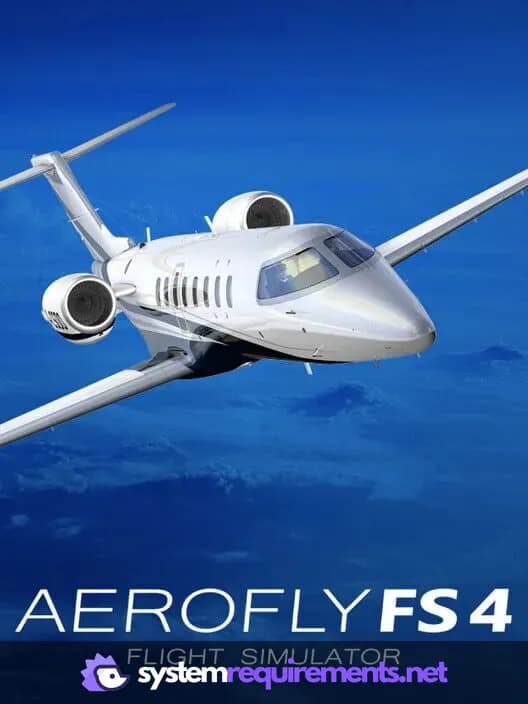
Aerofly FS 4 Flight Simulator Game Info
Developer
IPACS
Publisher
IPACS
Release Date
July 4, 2022
Platforms
Linux, Android, PC (Microsoft Windows), iOS, Mac
Genres
RacingSimulatorIndie
Game Modes
- Single player
Aerofly FS 4 Flight Simulator Screenshots









Optimize Your PC for Aerofly FS 4 Flight Simulator
Use our free tools to analyze and improve your gaming performance