
All Games
Bayonetta System Requirements
October 24, 2014PlatinumGames
Bayonetta on PC delivers the original action title previously exclusive to the WiiU. This version contains Bayonetta 1 and 2, adapted for play on the PC platform.
Bayonetta Minimum & Recommended Specs
Minimum: Intel Core i3, Nvidia GeForce GTX, 4 GB RAM. Recommended: 8 GB RAM RAM.
Minimum System Requirements
Recommended System Requirements
Quick Performance Tips for Bayonetta
#1
Lower shadow quality for a significant FPS boost.
#2
Disable anti-aliasing or use FXAA for better performance.
#3
Close background applications to free up RAM.
#4
Run the game in fullscreen mode for optimal performance.
Bayonetta System Requirements FAQ
Can I run Bayonetta on a low-end PC?
To play Bayonetta at minimum settings (720p, low), you'll need at least an Intel Core i3 3220 or AMD Phenom II X4 940 processor, an Nvidia GeForce GTX 570 or AMD Radeon HD 6950 graphics card, and 4 GB of RAM. Performance may still be limited.
What GPU do I need for Bayonetta?
For minimum settings, you'll need at least an Nvidia GeForce GTX 570 or AMD Radeon HD 6950. For recommended settings (1080p, higher settings), aim for an Nvidia GeForce GTX 760 or AMD Radeon HD 7950.
How much RAM does Bayonetta need?
Bayonetta requires a minimum of 4 GB of RAM. For a smoother experience, especially at higher settings, 8 GB of RAM is recommended.
Will Bayonetta run on integrated graphics?
Bayonetta is unlikely to run well, if at all, on integrated graphics. A dedicated graphics card like the Nvidia GeForce GTX 570 or AMD Radeon HD 6950 is required for minimum performance.
What is the best graphics settings for Bayonetta?
The 'best' settings depend on your hardware. Start with the 'High' preset and then adjust individual settings like shadows and anti-aliasing to find a balance between visual quality and performance. Experiment to find what works best for your system.
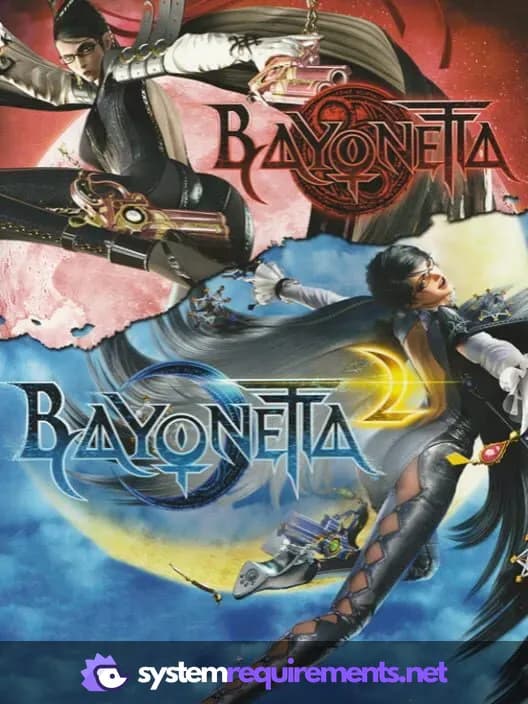
Bayonetta Game Info
Developer
PlatinumGames
Publisher
Sega
Release Date
October 24, 2014
Platforms
Wii U
Genres
Hack and slash/Beat 'em upAdventure
Game Modes
- Single player
- Multiplayer
Optimize Your PC for Bayonetta
Use our free tools to analyze and improve your gaming performance