All Games

CODE VEIN System Requirements

February 26, 2020Bandai Namco Studios

Frozen Empress, the latest CODE VEIN expansion, introduces formidable enemies and expands character customization. Discover new weapons, Blood Veils, and Blood Codes, plus unlock alternate outfits for companions within newly accessible Depths zones.

CODE VEIN Minimum & Recommended Specs

Minimum: Intel Core i5-2300, GeForce GTX 760, 6 GB RAM. Recommended: 8 GB RAM RAM.

Minimum System Requirements

OS
Windows 7 SP1 or newer
Processor
Intel Core i5-2300CPU Deals
RAM
6 GB RAMRAM Deals
Graphics Card
GeForce GTX 760 or Radeon HD 7850GPU Deals
DirectX
DirectX 11
Storage
60 GB available spaceSSD Deals

Recommended System Requirements

OS
Windows 10
Processor
Intel Core i5-7400 or AMD Ryzen 3 2200GCPU Deals
RAM
8 GB RAMRAM Deals
Graphics Card
GeForce GTX 960 or Radeon R9 380XGPU Deals
DirectX
DirectX 11
Storage
60 GB available spaceSSD Deals

Launch Trailer

Quick Performance Tips for CODE VEIN

#1

Lower shadow quality for a significant FPS boost.

#2

Reduce or disable anti-aliasing for better performance.

#3

Try playing at a lower resolution (e.g., 720p).

#4

Close background applications to free up RAM.

CODE VEIN System Requirements FAQ

Can I run CODE VEIN on a low-end PC?
If your PC meets the *minimum* requirements (Intel Core i5-2300, GeForce GTX 760 or Radeon HD 7850, 6 GB RAM), you should be able to play CODE VEIN at lower settings and resolution. Performance may vary.
What GPU do I need for CODE VEIN?
For minimum settings, you'll need at least a GeForce GTX 760 or Radeon HD 7850. For recommended settings and smoother gameplay, aim for a GeForce GTX 960 or Radeon R9 380X.
How much RAM does CODE VEIN need?
CODE VEIN requires a minimum of 6 GB of RAM. 8 GB of RAM is recommended for a smoother experience, especially with higher graphics settings.
Will CODE VEIN run on integrated graphics?
While not officially supported, CODE VEIN *might* run on some higher-end integrated graphics solutions, but you'll likely experience significant performance issues and very low settings. A dedicated GPU is highly recommended.
What is the best graphics settings for CODE VEIN?
The best settings depend on your hardware. Start with 'Medium' and adjust individual settings like shadows, textures, and effects. Lowering shadows and post-processing often provides the biggest performance boost.
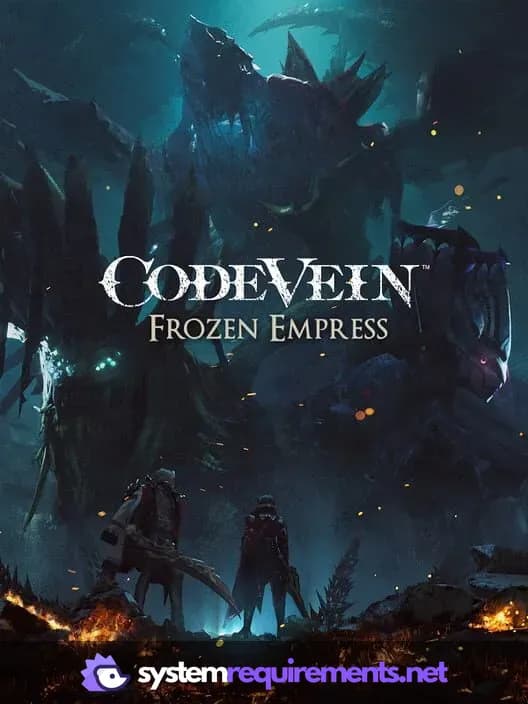
CODE VEIN PC game cover art

CODE VEIN Game Info

Developer

Bandai Namco Studios

Publisher

Bandai Namco Entertainment

Release Date

February 26, 2020

Platforms

PlayStation 4, PC (Microsoft Windows), Xbox One

Genres

Role-playing (RPG)

Game Modes

  • Single player
  • Co-operative

CODE VEIN Screenshots

CODE VEIN gameplay screenshot 1
CODE VEIN gameplay screenshot 2
CODE VEIN gameplay screenshot 3
CODE VEIN System Requirements - Can Your PC Run It?