
All Games
Danganronpa 2: Goodbye Despair System Requirements
July 26, 2012Spike Chunsoft85/100
Marooned on Jabberwock Island, Hope's Peak Academy students are forced into a deadly game orchestrated by Monokuma. As Hajime Hinata, investigate murders and participate in class trials to expose the killers and uncover the island's sinister secrets, or face permanent despair.
Danganronpa 2: Goodbye Despair Minimum & Recommended Specs
Minimum: 2.8 GHz Intel, 512 MB DirectX, 3 GB RAM. Recommended: 4 GB RAM RAM.
Minimum System Requirements
Recommended System Requirements
Trailer
Quick Performance Tips for Danganronpa 2: Goodbye Despair
#1
Lower resolution for a quick FPS boost.
#2
Disable anti-aliasing for better performance.
#3
Close unnecessary background programs.
#4
Update your graphics drivers for optimization.
Danganronpa 2: Goodbye Despair System Requirements FAQ
Can I run Danganronpa 2: Goodbye Despair on a low-end PC?
Yes, Danganronpa 2 has relatively low requirements. As long as you meet the minimum specs (2.8 GHz Core 2 Duo, 512 MB DirectX 9.0c card, 3 GB RAM), you should be able to play, though you might need to lower graphics settings.
What GPU do I need for Danganronpa 2: Goodbye Despair?
For minimum settings, you'll need a DirectX 9.0c compatible card with 512 MB of VRAM. For recommended settings, aim for a 1024MB (1GB) DirectX 9.0c compatible card.
How much RAM does Danganronpa 2: Goodbye Despair need?
The game requires a minimum of 3 GB of RAM. For a smoother experience, especially at higher settings, 4 GB of RAM is recommended.
Will Danganronpa 2: Goodbye Despair run on integrated graphics?
It might, but performance will vary greatly. If your integrated graphics meet or exceed the 512MB VRAM requirement and support DirectX 9.0c, you might get playable framerates on the lowest settings. Expect potential slowdowns.
What is the best graphics settings for Danganronpa 2: Goodbye Despair?
This depends on your hardware. Start with the recommended settings (if you meet them). If you experience lag, lower the resolution, disable anti-aliasing, and reduce texture quality. Experiment to find the best balance between visual quality and performance.
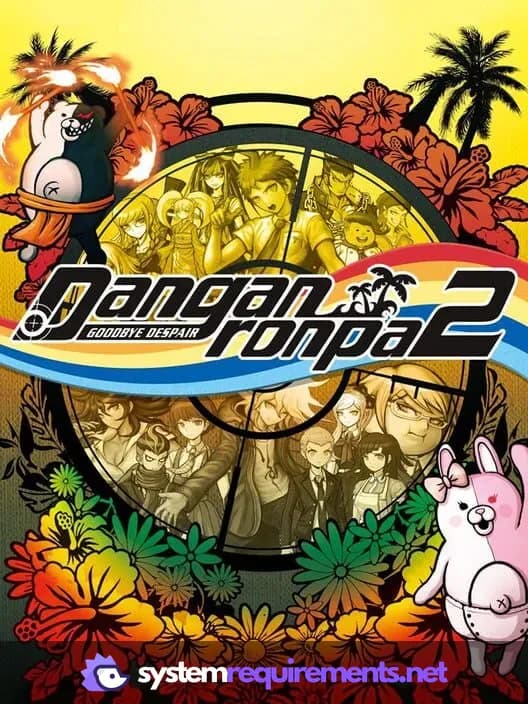
Danganronpa 2: Goodbye Despair Game Info
Developer
Spike Chunsoft
Publisher
Spike Chunsoft
Release Date
July 26, 2012
Platforms
Linux, PC (Microsoft Windows), iOS, Mac, PlayStation Vita
Genres
AdventureVisual Novel
Game Modes
- Single player
Danganronpa 2: Goodbye Despair Screenshots




Games Similar to Danganronpa 2: Goodbye Despair





Optimize Your PC for Danganronpa 2: Goodbye Despair
Use our free tools to analyze and improve your gaming performance