All Games

Deep Rock Galactic - Biohazard Pack System Requirements

November 3, 2022Ghost Ship Games

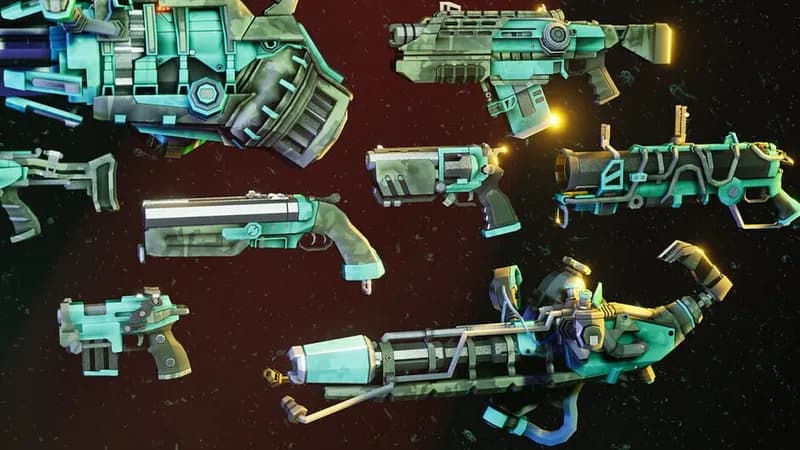
Prepare your dwarves for the Rockpox outbreak on Hoxxes with the Biohazard Pack. This DLC offers purely cosmetic enhancements: four class-specific armor sets, helmets, and matching paintjobs for existing armor, weapons, Bosco, and pickaxes.

Deep Rock Galactic - Biohazard Pack Minimum & Recommended Specs

Minimum: Intel i5-4590 or, Nvidia GeForce GTX, 8 GB RAM. Recommended: 16 GB RAM RAM.

Minimum System Requirements

OS
Windows 10
Processor
Intel i5-4590 or AMD equivalentCPU Deals
RAM
8 GB RAMRAM Deals
Graphics Card
Nvidia GeForce GTX 1050 Ti or AMD Radeon RX 560GPU Deals
DirectX
Version 11
Storage
30 GB available spaceSSD Deals

Recommended System Requirements

OS
Windows 10
Processor
Intel i7-9700K or AMD equivalentCPU Deals
RAM
16 GB RAMRAM Deals
Graphics Card
Nvidia GeForce RTX 2060 or AMD Radeon RX 5700GPU Deals
DirectX
Version 11
Storage
30 GB available spaceSSD Deals

Quick Performance Tips for Deep Rock Galactic - Biohazard Pack

#1

Lower shadow quality for a significant FPS boost.

#2

Disable or reduce the 'Bloom' effect for better performance.

#3

Adjust the 'Effects Quality' setting to improve frame rates.

#4

Close unnecessary background applications while playing.

Deep Rock Galactic - Biohazard Pack System Requirements FAQ

Can I run Deep Rock Galactic - Biohazard Pack on a low-end PC?
You can likely run the game on a low-end PC if it meets the minimum requirements (Intel i5-4590 or AMD equivalent, Nvidia GeForce GTX 1050 Ti or AMD Radeon RX 560, 8 GB RAM). However, you may need to lower graphics settings for smooth gameplay.
What GPU do I need for Deep Rock Galactic - Biohazard Pack?

For minimum settings, you'll need at least an Nvidia GeForce GTX 1050 Ti or AMD Radeon RX 560. For recommended settings, aim for an Nvidia GeForce RTX 2060 or AMD Radeon RX 5700.
How much RAM does Deep Rock Galactic - Biohazard Pack need?
The game requires a minimum of 8 GB of RAM. However, 16 GB of RAM is recommended for a smoother experience, especially with higher graphics settings.
Will Deep Rock Galactic - Biohazard Pack run on integrated graphics?
Running Deep Rock Galactic - Biohazard Pack on integrated graphics is not recommended. While it *might* launch, performance will likely be very poor and unplayable. A dedicated GPU is highly advised.
What is the best graphics settings for Deep Rock Galactic - Biohazard Pack?
The 'best' settings depend on your hardware. Start with 'Medium' and adjust from there. If you have a weaker system, try 'Low' or even custom settings, prioritizing frame rate over visual fidelity.
Deep Rock Galactic - Biohazard Pack PC game cover art

Deep Rock Galactic - Biohazard Pack Game Info

Developer

Ghost Ship Games

Publisher

Coffee Stain Publishing

Release Date

November 3, 2022

Platforms

Xbox Series X|S, PC (Microsoft Windows), Xbox One

Genres

Shooter

Game Modes

  • Single player
  • Multiplayer
  • Co-operative

Deep Rock Galactic - Biohazard Pack Screenshots

Deep Rock Galactic - Biohazard Pack gameplay screenshot 1

Deep Rock Galactic - Biohazard Pack gameplay screenshot 2

Deep Rock Galactic - Biohazard Pack gameplay screenshot 3

Deep Rock Galactic - Biohazard Pack gameplay screenshot 4
Deep Rock Galactic - Biohazard Pack System Requirements - Can Your PC Run It?