
All Games
gogh: Focus with Your Avatar System Requirements
April 30, 2025ambr
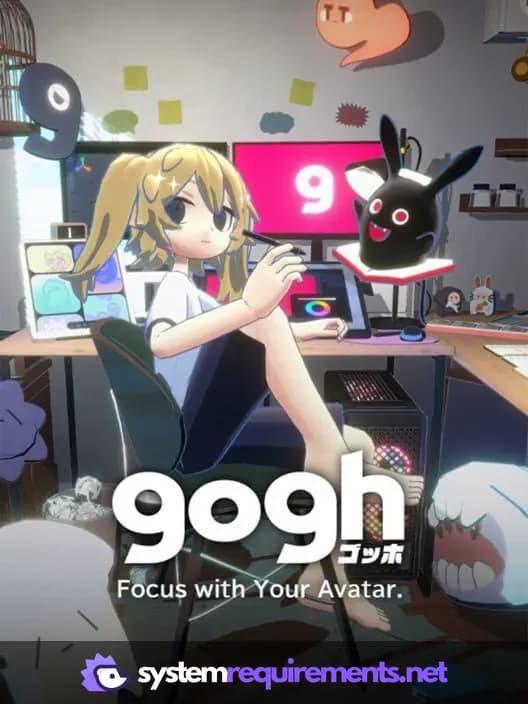
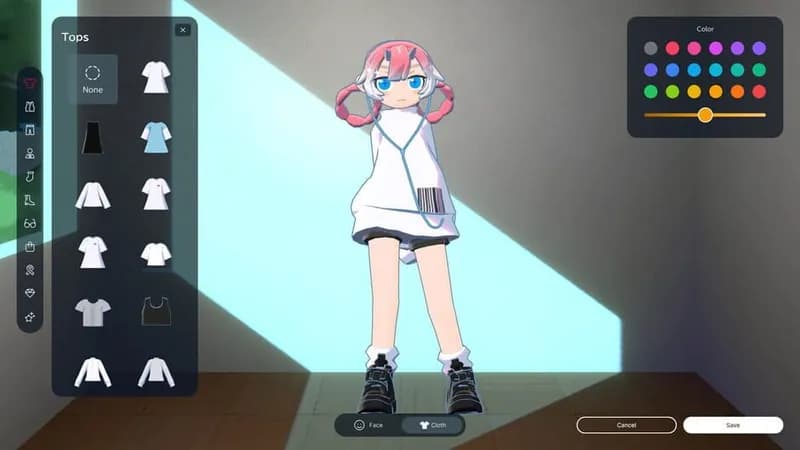
Shape a personalized workspace alongside a customizable avatar and companion, fostering concentration through room design and low-fidelity music. This application promotes focus by gamifying the work environment.
gogh: Focus with Your Avatar Minimum & Recommended Specs
Minimum: Intel Core i5-4460, NVIDIA GeForce GTX, 8 GB RAM. Recommended: 16 GB RAM RAM.
Minimum System Requirements
Recommended System Requirements
Upgrade Your Hardware
Launch Trailer
Quick Performance Tips for gogh: Focus with Your Avatar
#1
Close unnecessary background apps to free up RAM.
#2
Lower shadow quality for a significant performance boost.
#3
Reduce anti-aliasing settings for smoother gameplay.
#4
Update your graphics drivers for optimal performance.
gogh: Focus with Your Avatar System Requirements FAQ
Can I run gogh: Focus with Your Avatar on a low-end PC?
While we recommend at least an Intel Core i5-4460 and a NVIDIA GeForce GTX 960 with 8GB of RAM, you *might* be able to run gogh on lower specs. However, expect significantly reduced performance and visual quality. Try lowering all graphics settings to their minimum.
What GPU do I need for gogh: Focus with Your Avatar?
For a smooth experience at recommended settings, we suggest at least an NVIDIA GeForce GTX 1060. The minimum requirement is an NVIDIA GeForce GTX 960, but performance may be limited.
How much RAM does gogh: Focus with Your Avatar need?
We recommend 16 GB of RAM for optimal performance. The game requires a minimum of 8 GB of RAM to run.
Will gogh: Focus with Your Avatar run on integrated graphics?
Running gogh: Focus with Your Avatar on integrated graphics is not officially supported. While it *might* launch, expect very poor performance and potential crashes. A dedicated GPU is highly recommended.
What is the best graphics settings for gogh: Focus with Your Avatar?
For the best balance of visual quality and performance, try starting with the 'Medium' preset and adjusting individual settings from there. Pay close attention to shadow quality and anti-aliasing, as these can significantly impact performance.
gogh: Focus with Your Avatar Game Info
Developer
ambr
Publisher
ambr
Release Date
April 30, 2025
Platforms
Android, PC (Microsoft Windows)
Genres
SimulatorIndie
Game Modes
- Single player
- Multiplayer
- Co-operative
gogh: Focus with Your Avatar Screenshots






Optimize Your PC for gogh: Focus with Your Avatar
Use our free tools to analyze and improve your gaming performance