
Guide
Complete Beginner's Guide
Curious about how much your gaming PC or workstation costs to run? This complete beginners guide explains how to estimate and reduce your electricity expenses using the PC Electricity Cost Calculator.
Updated 2026-07-05
Understanding PC Electricity Cost: Why It Matters
When you build or use a gaming PC or workstation, it is easy to overlook the long-term electricity cost. Yet, every component inside your system draws power, and over time, those watts turn into real expenses on your electricity bill. Knowing your PC’s power consumption helps you plan your budget, choose efficient parts, and make eco-friendly decisions.
The total cost to run your computer depends on three key factors: the wattage your PC uses, how many hours per day it is powered on, and the cost per kilowatt-hour (kWh) charged by your utility provider. Even modest differences in any of these can add up to significant savings or overspending over the course of a year.
Not all PCs are created equal. High-end GPUs, overclocked CPUs, and multiple storage devices can greatly increase your power draw. Similarly, if your PC is running 24/7 for tasks like rendering or hosting servers, your costs will be higher than an average user who only games a few hours each evening. This guide will help you understand what impacts your PC’s electricity cost and how to estimate it accurately.
How to Calculate and Optimize Your PC Electricity Cost
To get a precise estimate of your PC’s electricity cost, you need to know your system’s wattage, your daily usage hours, and your local electricity rate. The PC Electricity Cost Calculator makes this process straightforward. By inputting these values, you get instant estimates for daily, monthly, and yearly expenses.
If you are unsure about your PC’s wattage, you can check your power supply’s rating or use a watt meter for real-time measurements. Remember, the power supply’s maximum wattage is not the same as your actual usage. Most PCs run at a fraction of their peak power except during intensive workloads like gaming or video editing.
Once you know your power consumption, you can look for ways to reduce waste. Simple habits, like shutting down your PC when not in use or enabling power-saving settings, can have a big impact. Upgrading to more efficient components, such as an 80 PLUS rated power supply or energy-efficient GPU, also helps. The PC Electricity Cost Calculator can show you the potential savings from these changes, making it easier to justify upgrades or behavioral tweaks.
Step-by-step
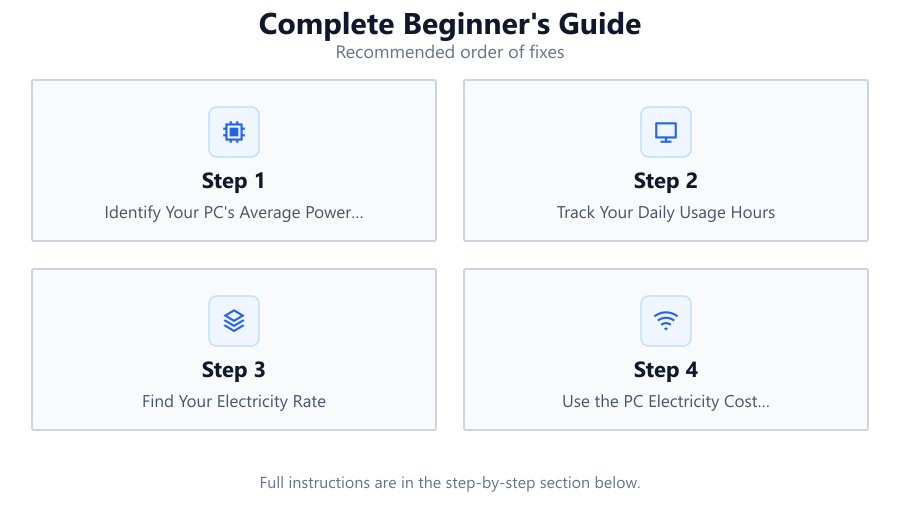
Identify Your PC's Average Power Consumption
Check your system specifications or use a watt meter to measure how many watts your PC typically uses during normal operation. For most users, this will be between 150 and 600 watts depending on the hardware.
Track Your Daily Usage Hours
Estimate how many hours per day your PC is powered on. Include both active use and idle time, as PCs still consume power even when not performing demanding tasks.
Find Your Electricity Rate
Look at your latest electricity bill or contact your utility provider to get your cost per kilowatt-hour (kWh). Rates vary by location and can change seasonally.
Use the PC Electricity Cost Calculator
Input your PC’s wattage, daily usage hours, and electricity rate into the PC Electricity Cost Calculator. The tool will generate daily, monthly, and yearly estimates so you can see your total cost.
Review and Optimize
If your costs are higher than expected, consider power-saving habits like turning off your PC when not needed, or upgrading to more efficient components. Re-calculate after making changes to see your new savings.
Comparison
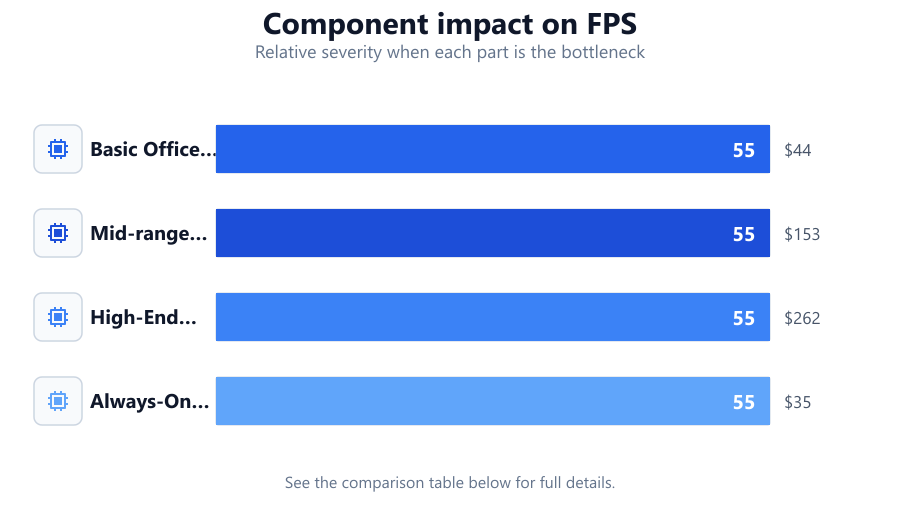
| PC Type | Typical Wattage | Estimated Yearly Cost (USD) |
|---|---|---|
| Basic Office PC | 100W | $44 |
| Mid-range Gaming PC | 350W | $153 |
| High-End Workstation | 600W | $262 |
| Always-On Home Server | 80W | $35 |
Common mistakes
Mistake
Assuming the power supply rating equals actual power consumption
Fix: Measure real power use with a watt meter or use manufacturer estimates for typical loads instead of the PSU's max rating.
Mistake
Ignoring idle and background power use
Fix: Include all the hours your PC is powered on, not just active gaming or work, when estimating costs.
Mistake
Using an outdated electricity rate
Fix: Always check your latest utility bill or provider’s website for current rates before calculating.
Troubleshooting
PC electricity cost estimates seem too high
Likely cause: Overestimating wattage or usage hours
What to do: Double-check your PC's actual wattage and be realistic about daily usage time.
No change in estimated costs after hardware upgrade
Likely cause: New component may not be more energy efficient
What to do: Compare component efficiency ratings and re-calculate using the PC Electricity Cost Calculator.
Electricity bill is higher than the calculator’s estimate
Likely cause: Other home electronics or inaccurate input data
What to do: Ensure all input values are correct and remember the calculator only covers your PC, not other devices.
Recommendations
- Use a watt meter for the most accurate power measurements.
- Enable power-saving features in your operating system and BIOS.
- Turn off or sleep your PC when not in use to reduce unnecessary costs.
- Periodically re-calculate your expenses if your usage habits or hardware change.
- Consider upgrading to energy-efficient components for long-term savings.
Frequently asked questions
How accurate is the PC Electricity Cost Calculator?
The calculator provides a close estimate based on your input values. For exact results, use a watt meter to measure real-world usage.
What is the average electricity cost for a gaming PC?
A typical gaming PC consumes between 300 and 500 watts, costing around $130 to $220 per year depending on local electricity rates and usage.
Will leaving my PC on overnight increase my bill significantly?
Yes. Running your PC 24/7 can double or triple your electricity costs compared to shutting it down when not needed.
Does upgrading to a more efficient power supply save money?
Yes. An 80 PLUS certified power supply reduces wasted energy, especially under partial loads, leading to lower electricity bills over time.