
Guide
How to Choose the Right Hardware
Struggling to pick the right PC parts? This guide covers how to choose the right hardware for your needs, including RAM, storage, and CPUs, plus how tools like the Memory Bandwidth Calculator can help you plan smart upgrades.
Updated 2026-07-05
Understanding Your Hardware Needs
Choosing the right hardware for your computer is essential, whether you are building a new PC or upgrading an existing system. The right components ensure smooth performance, compatibility, and value for your investment. Before making any decisions, it is vital to understand your specific needs, such as gaming, content creation, or daily productivity tasks.
Start by listing your most demanding applications and tasks. Gamers, for example, need a powerful graphics card and fast memory, while video editors benefit from multi-core CPUs and high memory bandwidth. Office users may prioritize reliability and silent operation. Assessing your workload will help you prioritize which components require the most investment.
Budget is another key factor. Allocate your budget wisely, focusing on the parts that will have the most impact on your daily experience. For instance, a fast SSD drastically improves system responsiveness, while more RAM enables better multitasking. Do not overlook the importance of a good power supply and cooling solution, as these protect and support your investment.
Essential Hardware Components: What to Look For
Central Processing Unit (CPU): The CPU determines how quickly your system processes instructions. Consider core count, thread count, and clock speed. For gaming, look for CPUs with high single-core performance. For multitasking or content creation, multi-core CPUs excel.
Random Access Memory (RAM): RAM affects your system's ability to handle multiple applications. The amount and speed of RAM are critical. Use tools like the Memory Bandwidth Calculator to estimate how much data your RAM can handle per second. This is especially important for tasks like video editing or running virtual machines.
Graphics Processing Unit (GPU): If you play games, render 3D graphics, or use GPU-accelerated applications, invest in a dedicated GPU. Pay attention to VRAM size, clock speed, and supported technologies such as ray tracing or AI acceleration.
Storage: SSDs offer faster boot and load times compared to traditional hard drives. NVMe SSDs, connected via PCIe, are even faster. Consider your storage needs for applications, games, and media files. Some users prefer a dual-drive setup: a smaller SSD for the operating system and a larger HDD for mass storage.
Motherboard: Ensure your motherboard supports your chosen CPU, RAM, and storage devices. Look for expansion slots, USB ports, and connectivity like Wi-Fi or Bluetooth if needed. BIOS features and power delivery quality are important for enthusiasts and overclockers.
Power Supply Unit (PSU): Choose a PSU with enough wattage and good efficiency ratings. Modular PSUs help with cable management. Make sure it has the right connectors for your GPU and motherboard.
Cooling: Proper cooling ensures longevity and performance. Stock coolers suffice for basic tasks, but aftermarket coolers or liquid cooling are better for overclocked systems.
Compatibility: Always check compatibility between components, such as RAM type (DDR4 or DDR5), CPU socket, and case size. Use manufacturer websites and online compatibility checkers. For memory, confirming speed and channel support is crucial, and the Memory Bandwidth Calculator can help assess if your planned configuration meets your performance goals.
Step-by-step
Define Your Use Case and Performance Goals
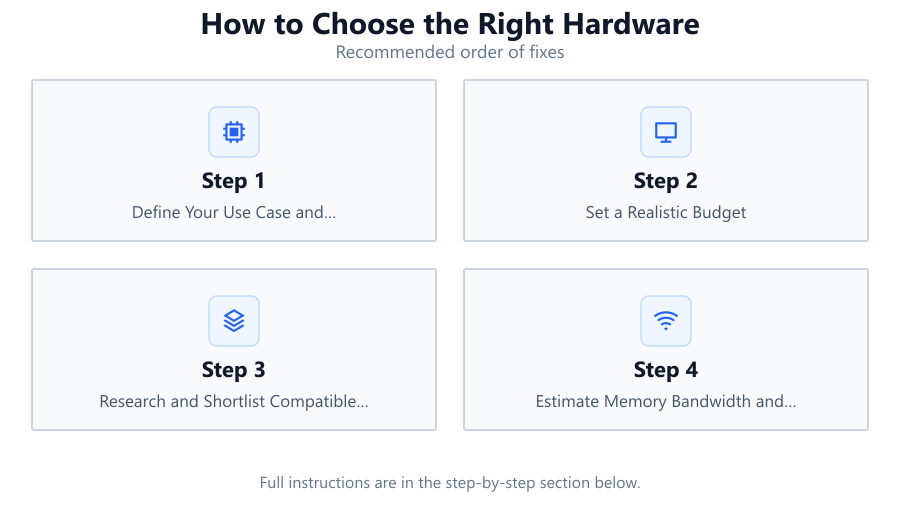
List the main tasks you want your PC to handle. Identify whether gaming, content creation, programming, or office productivity is your priority. This will guide your component choices.
Set a Realistic Budget
Determine how much you can spend. Allocate more to components that matter most for your use case, such as GPU for gamers or CPU and RAM for creators.
Research and Shortlist Compatible Components
Check that your CPU, motherboard, RAM, and GPU are compatible. Use manufacturer tools and online checkers to avoid bottlenecks or installation issues.
Estimate Memory Bandwidth and Performance
Use the Memory Bandwidth Calculator to estimate RAM performance. Input your memory's speed, channel count, and bus width to ensure it matches your application needs.
Plan for Future Upgrades
Choose components that allow for future upgrades, such as extra RAM slots or additional storage bays. This extends the useful life of your system.
Comparison
| Component | Key Specs | Best For |
|---|---|---|
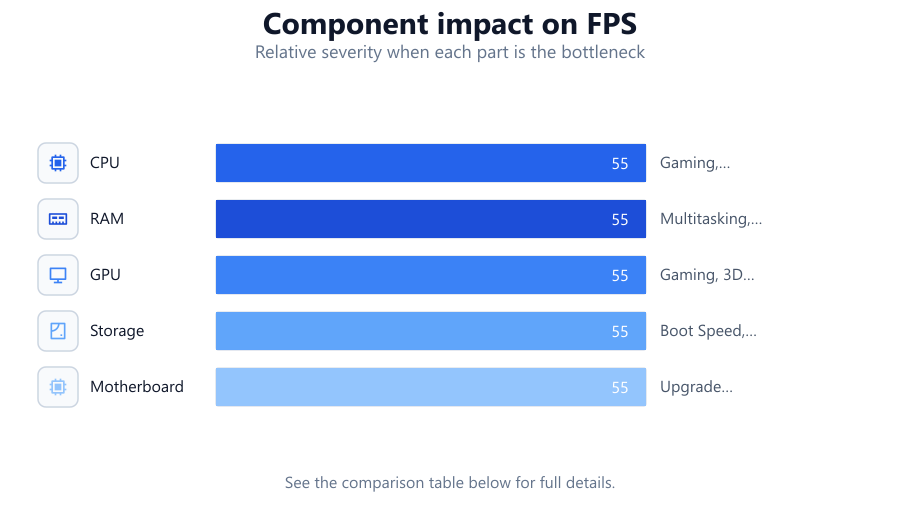
| CPU | Cores, Clock Speed, Socket | Gaming, Productivity, Multitasking |
| RAM | Capacity, Speed, Channels | Multitasking, Content Creation |
| GPU | VRAM, Clock, Architecture | Gaming, 3D Rendering |
| Storage | SSD/HDD, NVMe, Capacity | Boot Speed, File Access |
| Motherboard | Chipset, Slots, Ports | Upgrade Flexibility |
Common mistakes
Mistake
Focusing only on the GPU for gaming builds.
Fix: Balance your budget across CPU, RAM, and storage to avoid bottlenecks and ensure smooth gameplay.
Mistake
Ignoring memory bandwidth requirements.
Fix: Use the Memory Bandwidth Calculator to verify your RAM is fast enough for your workload.
Mistake
Buying incompatible components.
Fix: Always cross-check socket types, RAM standards, and physical sizes before purchase.
Mistake
Underestimating power and cooling needs.
Fix: Choose a reliable PSU and adequate cooling to protect your investment and maintain performance.
Troubleshooting
System crashes under heavy load.
Likely cause: Insufficient RAM or overheating components.
What to do: Upgrade RAM and improve cooling. Use the Memory Bandwidth Calculator to check if your configuration is adequate.
Frequent stuttering during games or editing.
Likely cause: Memory or storage bottleneck.
What to do: Upgrade to faster RAM or switch to an SSD. Confirm memory performance using the Memory Bandwidth Calculator.
Computer does not boot after upgrades.
Likely cause: Component incompatibility or faulty installation.
What to do: Double-check all connections and compatibility, including RAM type and CPU socket.
Recommendations
- Prioritize components that directly impact your main tasks.
- Use tools like the Memory Bandwidth Calculator to make informed decisions.
- Always leave room in your build for future upgrades.
- Consider reputable brands and read user reviews before purchase.
- Do not skimp on power supply and cooling solutions.
Frequently asked questions
How do I know which hardware component to upgrade first?
Identify your system’s bottleneck using monitoring tools. For most users, upgrading RAM or switching to an SSD offers the biggest performance boost.
How much RAM do I need for gaming or content creation?
16 GB is recommended for gaming. For video editing or heavy multitasking, 32 GB or more is ideal. Use the Memory Bandwidth Calculator to ensure your RAM is fast enough.
Is it worth investing in DDR5 memory?
DDR5 offers higher bandwidth and efficiency. If your motherboard and CPU support it, DDR5 is a good choice for future-proofing, especially for demanding workloads.
How can I check if my components are compatible?
Use manufacturer compatibility tools and double-check CPU socket, RAM type, and physical dimensions before buying. Online PC part pickers can also help.