
Guide
How to Choose the Right Hardware
Selecting the right hardware for your PC build or upgrade can feel overwhelming, but with a few core principles and tools like the RAM Latency Calculator, you can confidently make the best choices for your needs.
Updated 2026-07-05
Understanding Hardware Selection
Choosing the right hardware for your PC involves balancing performance, compatibility, and budget. Every component, from the CPU and GPU to RAM and storage, plays a unique role in system performance. Knowing what each part does and how it impacts your use case is the first step toward a satisfying purchase.
Start by identifying your needs. Are you gaming, editing videos, or simply browsing the web? Each use case demands a different hardware configuration. For gaming, prioritize the GPU and fast RAM. For content creation, look for a powerful CPU and ample memory. Everyday tasks require less power, so you can focus more on reliability and longevity.
Compatibility is critical. Your motherboard must support the CPU, RAM, and storage you plan to use. Check socket types, RAM generation (DDR3, DDR4, DDR5), and form factors. Using the RAM Latency Calculator can help you compare memory modules and select the best match for your motherboard and workload.
Core Components and What Matters Most
The central processing unit (CPU) is the brain of your PC. It affects multitasking, processing speed, and overall responsiveness. Key specs to compare include core count, thread count, and clock speed. For most users, a mid-range CPU offers the best value, but power users or professionals may benefit from higher-end models.
The graphics processing unit (GPU) is essential for gaming, 3D rendering, and creative work. Compare VRAM, core speed, and benchmarks for your favorite applications. Remember, pairing a powerful GPU with a weak CPU can cause bottlenecks.
Random access memory (RAM) determines how many tasks your system can handle at once. Capacity is important, but speed and latency also matter. This is where the RAM Latency Calculator comes in. By entering your memory's CAS latency and frequency, you can see true latency in nanoseconds and compare DDR4, DDR5, or DDR3 modules.
Storage decisions involve speed, capacity, and reliability. SSDs are much faster than traditional hard drives and are ideal for your operating system and frequently used programs. HDDs still offer great value for bulk storage.
Step-by-step
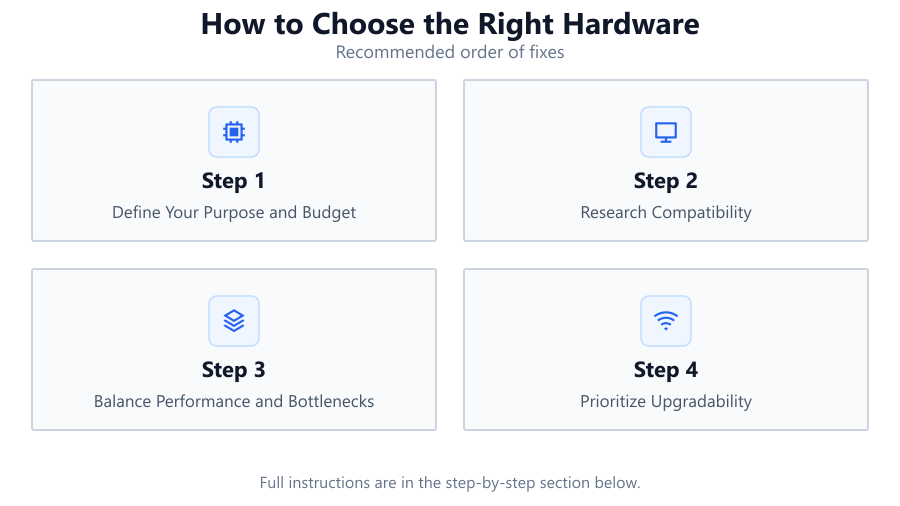
Define Your Purpose and Budget
List your primary tasks: gaming, productivity, media creation, or general use. Set a realistic budget based on your needs. This helps narrow down the hardware that offers the most value for your money.
Research Compatibility
Check CPU socket types, motherboard chipsets, RAM generation, and GPU slot compatibility. Use manufacturer websites and QVL (Qualified Vendor List) tools to confirm your chosen parts work together.
Balance Performance and Bottlenecks
Avoid pairing a high-end GPU with a low-end CPU or vice versa. Use online benchmarks and the RAM Latency Calculator to assess real-world performance and ensure your components complement each other.
Prioritize Upgradability
Select a motherboard with extra RAM slots and M.2 connectors. Choose a power supply with headroom for future upgrades. This extends your system's lifespan and saves money down the line.
Check Reviews and Benchmarks
Read user reviews and independent benchmarks for each component. Pay attention to real-world tests, including RAM latency results using the RAM Latency Calculator, to ensure performance matches your expectations.
Comparison
| Component | Key Spec | What to Look For |
|---|---|---|
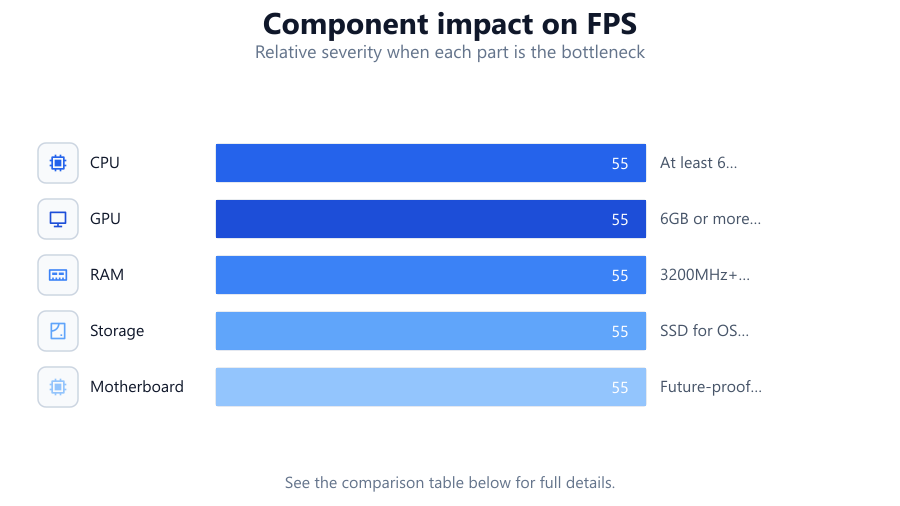
| CPU | Cores/Threads | At least 6 cores for gaming, more for content creation |
| GPU | VRAM | 6GB or more for modern games and creative work |
| RAM | Speed/Latency | 3200MHz+ DDR4, check true latency with RAM Latency Calculator |
| Storage | SSD vs HDD | SSD for OS and apps, HDD for bulk storage |
| Motherboard | Chipset/Slots | Future-proof with support for new CPUs and GPUs |
Common mistakes
Mistake
Focusing only on one component (like GPU) and neglecting others
Fix: Balance your budget across CPU, RAM, storage, and GPU for optimal performance
Mistake
Ignoring RAM speed and latency
Fix: Use the RAM Latency Calculator to compare modules and choose the best option for your needs
Mistake
Not checking compatibility between components
Fix: Always verify socket types, chipset support, and RAM generation before buying
Mistake
Buying the cheapest power supply
Fix: Invest in a reliable, efficient PSU with enough wattage for your build
Troubleshooting
System does not boot after hardware upgrade
Likely cause: Incompatible RAM or unsupported CPU
What to do: Double-check motherboard compatibility lists and use the RAM Latency Calculator to ensure selected RAM matches motherboard requirements
System crashes or freezes during heavy tasks
Likely cause: Insufficient cooling or low-quality power supply
What to do: Upgrade cooling solutions and invest in a certified PSU with adequate wattage
Games or applications run slower than expected
Likely cause: RAM speed or latency bottleneck
What to do: Use the RAM Latency Calculator to evaluate if your memory is limiting performance, and upgrade to faster or lower latency modules if needed
Storage is full or system is slow to boot
Likely cause: Using only a mechanical hard drive
What to do: Install an SSD for your operating system and key applications for faster performance
Recommendations
- Always plan your build around your primary use case and budget
- Use tools like the RAM Latency Calculator to make informed decisions about memory
- Balance spending across all major components to avoid bottlenecks
- Future-proof your system with a motherboard that supports newer CPUs and memory standards
- Read recent benchmarks and reviews to verify real-world performance before purchasing
Frequently asked questions
How do I know if my hardware choices are compatible?
Check motherboard specifications for supported CPUs, RAM types, and GPU slots. Manufacturer websites and QVL lists are valuable resources.
Is RAM speed or capacity more important?
Both matter. For most users, 16GB is enough, but higher speed and lower latency can boost performance. Use the RAM Latency Calculator to compare modules.
Should I get an SSD or HDD?
An SSD is recommended for your operating system and apps due to faster speeds, while an HDD is cost-effective for storing large files.
How can I avoid bottlenecks in my system?
Balance your choices. Do not pair a high-end GPU with a weak CPU or slow RAM. Use performance tools like the RAM Latency Calculator for informed decisions.
How much power supply wattage do I need?
Add up the wattage of your components and choose a PSU with at least 20 percent more capacity for future upgrades and efficiency.