
Guide
Optimization Guide
Unlock faster, more reliable file uploads with our actionable optimization guide. Learn how to boost your upload speeds and maximize efficiency using the Upload Time Calculator.
Updated 2026-07-05
Understanding Upload Optimization
Uploading files is a daily task for professionals, creators, and businesses alike. Whether you are sending documents, sharing large video projects, or backing up critical data, upload speed has a direct impact on productivity and workflow. An efficient upload process not only saves time but also reduces frustration and ensures deadlines are met.
The key to optimizing uploads is understanding the factors that influence upload speed. These include your internet connection type, available bandwidth, network congestion, the size and type of files, and even the configuration of your devices and software. By identifying these variables and taking targeted action, you can drastically improve your experience.
It is important to note that upload speed is often much lower than download speed, especially on asymmetric connections like ADSL or cable. Using a tool like the Upload Time Calculator helps you determine exactly how long your uploads will take, allowing for better planning and more efficient workflows.
Advanced Strategies for Upload Efficiency
To truly optimize your upload process, dive deeper into technical strategies and best practices. Upgrading your internet plan to one with higher upload speeds is an obvious step, but it is not always the only or most cost-effective option. Prioritize minimizing background network usage during uploads by pausing streaming, cloud sync, or large downloads. This ensures the maximum available bandwidth is dedicated to your uploads.
File compression is another powerful technique. Compressing files before uploading not only reduces size but can also streamline the transfer, especially when dealing with folders containing many small files. Batch uploads and scheduled transfers during off-peak hours can further enhance reliability and speed.
Leverage hardware improvements as well, such as using wired Ethernet connections instead of WiFi, updating your router firmware, and ensuring your devices are free of malware or network-clogging applications. Tools like the Upload Time Calculator empower you to experiment and measure the impact of these changes, helping you fine-tune your setup for optimal performance.
Step-by-step
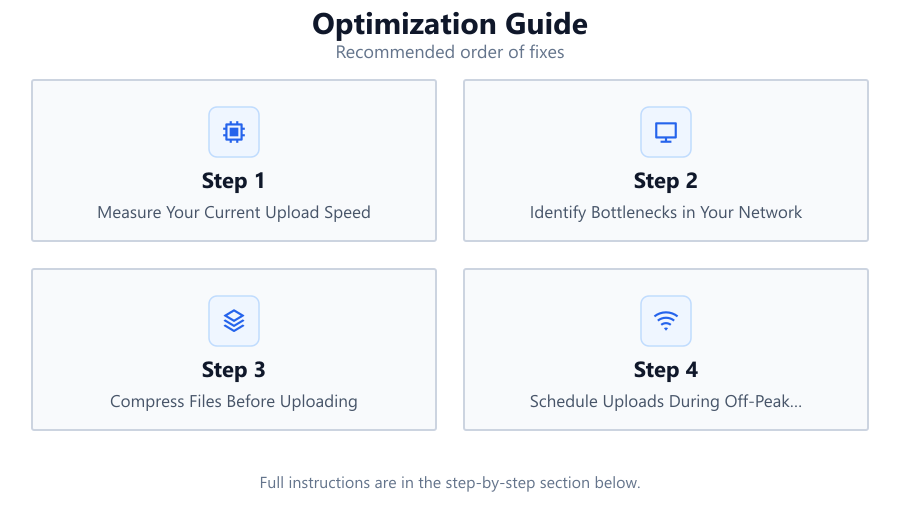
Measure Your Current Upload Speed
Begin by testing your current upload speed using a reputable speed test service. Note the results, as this baseline will help you track improvements and accurately use the Upload Time Calculator.
Identify Bottlenecks in Your Network
Check for common sources of congestion, such as multiple users streaming or downloading large files. Disconnect unused devices to free up bandwidth for your uploads.
Compress Files Before Uploading
Use file compression tools to reduce the size of images, videos, and documents. Smaller files upload faster and are less likely to fail due to network interruptions.
Schedule Uploads During Off-Peak Hours
Upload large files late at night or early in the morning when fewer people are online. This minimizes competition for bandwidth and reduces the risk of slowdowns.
Use the Upload Time Calculator for Planning
Enter your file sizes and measured upload speed into the Upload Time Calculator. This gives you a realistic estimate, so you can plan uploads without guesswork.
Upgrade Equipment and Software
Ensure your modem, router, and network cables support high-speed connections. Keep firmware and device drivers updated for optimal performance.
Comparison
| Connection Type | Typical Upload Speed (Mbps) | Ideal For |
|---|---|---|
| ADSL | 0.5-1 | Basic documents, small files |
| Cable | 2-10 | Photos, medium files |
| Fiber | 10-1000 | Large videos, backups |
| 4G/5G | 5-100+ | Mobile uploads, field work |
| Business Ethernet | 10-1000 | Massive data transfers |
Common mistakes
Mistake
Uploading during peak internet usage hours
Fix: Schedule uploads for early morning or late evening to avoid congestion.
Mistake
Ignoring file size before uploading
Fix: Compress or split large files to reduce upload time and risk of failure.
Mistake
Using outdated networking equipment
Fix: Upgrade to modern routers and ensure cables support high-speed data transfer.
Mistake
Overlooking background data usage on the network
Fix: Pause cloud syncs, streaming, and large downloads while uploading important files.
Troubleshooting
Uploads are much slower than expected
Likely cause: Network congestion or background processes consuming bandwidth
What to do: Pause other bandwidth-heavy activities and restart your router to clear congestion.
Uploads fail or time out for large files
Likely cause: Unstable connection or file size exceeding service limits
What to do: Compress files, use a wired connection, and check if the service has file size limits.
Upload speed fluctuates wildly
Likely cause: WiFi interference or inconsistent ISP performance
What to do: Switch to a wired Ethernet connection and contact your ISP if the issue persists.
Recommendations
- Use the Upload Time Calculator before major uploads to set realistic expectations.
- Invest in high-quality networking hardware for stable and fast connections.
- Regularly monitor your network for unauthorized devices or bandwidth hogs.
- Automate repetitive uploads with scheduling tools to maximize efficiency.
- Keep your system and network firmware up to date to prevent performance issues.
Frequently asked questions
How can I calculate how long my file upload will take?
Use the Upload Time Calculator by entering your file size and current upload speed to get an accurate time estimate.
What factors most affect upload speed?
Upload speed is influenced by your internet connection type, available bandwidth, network congestion, hardware quality, and file size.
Is compressing files before uploading always helpful?
Yes, compressing files reduces their size, which nearly always results in faster, more reliable uploads, especially for large files.
Why is my upload speed lower than my download speed?
Many connections, like ADSL and cable, are designed to favor download speed. Only fiber, business, or symmetrical plans offer equal upload and download rates.