
Guide
Optimization Guide
Unlock the full potential of your PC's power supply with this optimization guide. Learn how to use the PSU Efficiency Calculator to reduce wasted energy and boost system efficiency.
Updated 2026-07-05
Understanding Power Supply Optimization
Optimizing your PC's power supply is essential for maximizing performance, minimizing energy waste, and extending hardware lifespan. Many users overlook how much electricity their system actually consumes and how much of it is lost as heat due to PSU inefficiency. A well-optimized system can significantly reduce your electricity bills and maintain stable operation even under heavy loads.
The PSU Efficiency Calculator is a valuable tool that lets you estimate your PC's true power draw at the wall. By inputting your PSU's rated efficiency and your system's power requirements, you can visualize how much energy is being wasted and how much is effectively used by your components. This knowledge is the foundation of any optimization guide.
Optimizing power supply efficiency means matching your PSU to your system's needs, choosing the right efficiency rating, and ensuring you're not overspending on unnecessary wattage. This guide will walk you through actionable steps, common mistakes, and troubleshooting tips to help you get the most out of your hardware investment.
Advanced Strategies for Power Efficiency
Once you understand the basics of power supply optimization, you can take several advanced steps to further improve your PC's efficiency. Start by analyzing your system's peak and idle loads using the PSU Efficiency Calculator. This helps you pinpoint inefficiencies and identify opportunities for improvement.
Selecting a PSU with an 80 PLUS certification that matches your typical load range is crucial. For example, if your system draws 300W under load, a 550W Gold-rated PSU will usually operate at peak efficiency around 50 to 60 percent load. Avoid buying oversized PSUs, as they often run at lower efficiency levels when underutilized.
Another key factor is cable management, which ensures proper airflow within your case and prevents your PSU from overheating. Overheated power supplies lose efficiency and may even fail prematurely. Consider using modular PSUs to eliminate unnecessary cables and improve thermal performance.
Finally, regularly clean your PSU's fan and vents to prevent dust buildup, which can impede cooling and reduce efficiency. Pay attention to your system's power settings in your operating system, enabling features like sleep mode and low-power states to minimize idle consumption. By combining these strategies with the insights gained from the PSU Efficiency Calculator, you can achieve a highly optimized and energy-efficient PC setup.
Step-by-step
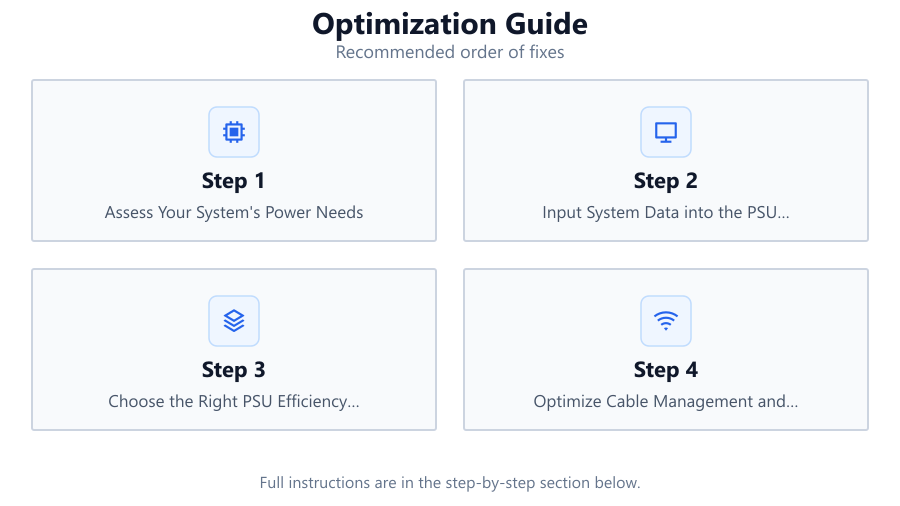
Assess Your System's Power Needs
List all major components in your PC, including CPU, GPU, motherboard, storage, and peripherals. Use manufacturer specifications or online calculators to estimate peak power draw. This forms the basis for selecting an appropriately sized PSU.
Input System Data into the PSU Efficiency Calculator
Navigate to the PSU Efficiency Calculator and enter your estimated system power draw along with your PSU's rated efficiency. This will reveal your actual power consumption at the wall and show how much energy your PSU wastes.
Choose the Right PSU Efficiency Rating
Select a PSU with an 80 PLUS efficiency rating that aligns with your typical usage. Gold and Platinum rated units offer the best balance between efficiency and cost for most users.
Optimize Cable Management and Cooling
Organize cables to ensure unobstructed airflow. Clean PSU vents and fans regularly to prevent overheating, which can reduce efficiency and lifespan.
Monitor and Adjust Power Settings
Enable energy-saving features in your operating system. Activate sleep mode, hibernate, and low-power states to minimize idle power draw. Periodically re-calculate your system's efficiency if you upgrade hardware.
Comparison
| PSU Efficiency Level | Typical Load (%) | Wasted Power (W) |
|---|---|---|
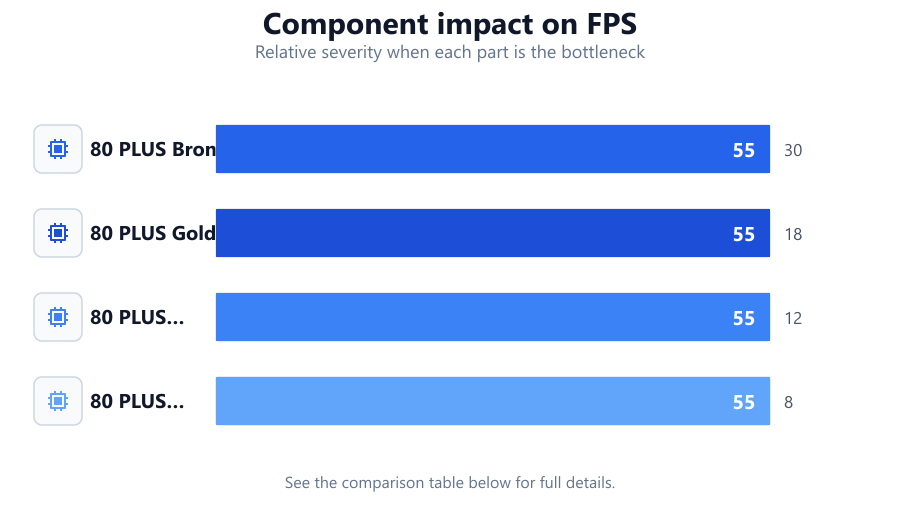
| 80 PLUS Bronze | 50 | 30 |
| 80 PLUS Gold | 50 | 18 |
| 80 PLUS Platinum | 50 | 12 |
| 80 PLUS Titanium | 50 | 8 |
Common mistakes
Mistake
Oversizing the PSU far beyond system requirements
Fix: Select a PSU rated 20 to 30 percent above your maximum draw for headroom, but avoid excessive overcapacity.
Mistake
Ignoring PSU efficiency ratings
Fix: Always choose a PSU with a recognized 80 PLUS certification for improved energy savings and reliability.
Mistake
Neglecting regular PSU maintenance
Fix: Clean vents and fans every few months to ensure optimal cooling and sustained efficiency.
Troubleshooting
System shuts down under load
Likely cause: PSU is overloaded due to underestimating system power needs
What to do: Recalculate your power draw using the PSU Efficiency Calculator and upgrade to a higher wattage unit if necessary.
High electricity bills despite efficient hardware
Likely cause: PSU operates at low efficiency due to mismatched load range
What to do: Select a PSU that matches your average power draw for optimal efficiency, as shown in the calculator results.
PSU fan runs loudly or system is hot
Likely cause: Poor airflow or dust buildup is causing PSU to overheat
What to do: Improve cable management and clean the PSU regularly to restore proper cooling.
Recommendations
- Use the PSU Efficiency Calculator to verify your system's real-world power consumption and efficiency losses.
- Opt for a PSU with an 80 PLUS Gold or Platinum rating for the best long-term value.
- Maintain clean airflow and regularly service your PSU to prevent overheating and efficiency loss.
- Review your system's power usage annually, especially after hardware upgrades, to ensure continued optimization.
Frequently asked questions
What is the ideal PSU wattage for my PC?
Aim for a PSU rated 20 to 30 percent higher than your system's peak power draw. This provides headroom for future upgrades and ensures efficient operation.
How do I calculate my actual power usage at the wall?
Use the PSU Efficiency Calculator. Enter your system's estimated draw and PSU efficiency rating to see how much power is actually consumed from the outlet.
Does a higher efficiency PSU save money?
Yes. Higher efficiency PSUs waste less energy as heat, leading to lower electricity bills and a cooler, more reliable system.
How often should I check my PC's power efficiency?
Check efficiency whenever you upgrade major components or annually to ensure your PSU is still appropriately matched to your system's needs.