
Guide
Common Buying Mistakes
Avoid costly errors when buying a GPU for Stable Diffusion. This guide reveals the most common mistakes and shows you how to make better choices for AI art.
Updated 2026-07-05
Understanding Common Buying Mistakes for Stable Diffusion GPUs
Choosing the right GPU for Stable Diffusion is not as simple as picking the most powerful or the cheapest card. Many users, especially those new to AI art generation, encounter avoidable pitfalls that lead to wasted money or underwhelming performance. The rapid pace of AI model development and the specific VRAM requirements for Stable Diffusion make careful research critical before purchase.
A common misconception is that any modern GPU can handle Stable Diffusion image generation. However, the exact VRAM needed varies significantly depending on the model, image resolution, and batch size settings. Some buyers end up with cards that cannot run their desired models at all, or are forced to settle for lower image quality and slower generation speeds. Before making a purchase, it is vital to understand your workflow and the hardware demands it will place on your system.
It is also important to consider future use cases. As new models and features are released, VRAM and compute requirements may increase. Buying a card that only meets today's minimum specs could leave you needing another upgrade much sooner than expected. This guide will walk you through the most common buying mistakes for Stable Diffusion GPUs and how to avoid them, so you can invest with confidence.
Avoiding Costly Errors: Detailed Analysis of Common GPU Buying Mistakes
The most frequent mistake is underestimating minimum VRAM requirements. Many users select a GPU based on price or general gaming benchmarks, only to find that Stable Diffusion models like SDXL or advanced custom checkpoints demand more memory than expected. This leads to failed generations or the need to drastically lower batch size and image dimensions, which reduces both efficiency and output quality.
Another widespread error is ignoring compatibility with the latest AI frameworks. Not all GPUs support the same versions of CUDA, ROCm, or DirectML, which are essential for running Stable Diffusion efficiently. For example, some budget cards or older GPUs may not support required driver or software versions, leading to frustrating setup issues.
Buyers also sometimes overlook power supply and cooling requirements. High-performance GPUs can draw significantly more power and generate more heat than basic cards. Choosing a GPU without checking your system's PSU wattage and airflow capacity can cause system instability or even hardware damage. Finally, some users focus solely on VRAM and neglect core count, memory bandwidth, or tensor core support, which can all impact generation speed and quality when using Stable Diffusion.
The Stable Diffusion GPU Calculator is an essential tool to sidestep these issues. By entering your target model, image size, and batch settings, the calculator instantly provides realistic VRAM estimates and suggests suitable GPUs. Using this tool before purchase ensures your chosen card matches your creative ambitions and technical needs.
Step-by-step
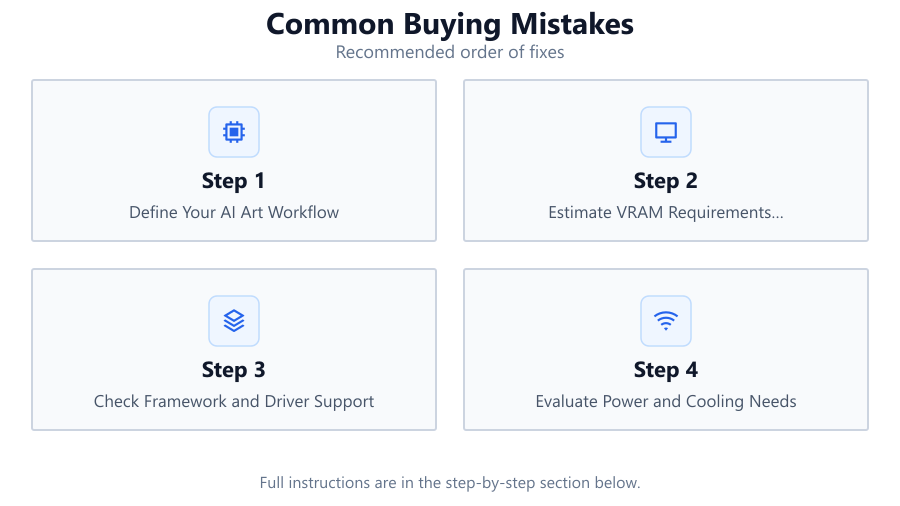
Define Your AI Art Workflow
List the Stable Diffusion models you plan to use, typical image resolutions, and preferred batch sizes. Knowing your workload is the foundation for choosing the right GPU.
Estimate VRAM Requirements Accurately
Use the Stable Diffusion GPU Calculator to input your workflow details. Compare the recommended VRAM with your shortlisted GPUs to ensure full compatibility.
Check Framework and Driver Support
Verify that your chosen GPU supports the necessary CUDA, ROCm, or DirectML versions for your preferred AI frameworks. This avoids frustrating software setup failures.
Evaluate Power and Cooling Needs
Review your PC's power supply rating and case airflow. High-end GPUs may require upgrades to PSU or cooling to maintain stable operation.
Consider Future-Proofing
Select a GPU with more VRAM and compute capability than your current minimum needs. This ensures smooth upgrades as new models and features emerge.
Comparison
| GPU Model | VRAM (GB) | Stable Diffusion Support |
|---|---|---|
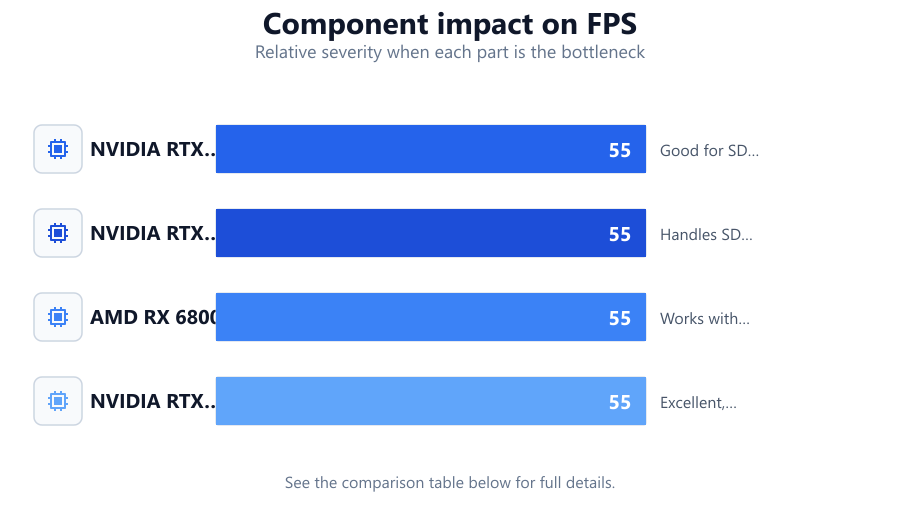
| NVIDIA RTX 3060 | 12 | Good for SD 1.5, limited SDXL |
| NVIDIA RTX 4070 | 12 | Handles SD 1.5 and SDXL well |
| AMD RX 6800 | 16 | Works with ROCm, moderate SDXL |
| NVIDIA RTX 4090 | 24 | Excellent, all models and large batches |
Common mistakes
Mistake
Buying a GPU with insufficient VRAM
Fix: Always check VRAM needs using the Stable Diffusion GPU Calculator for your specific models and image sizes.
Mistake
Ignoring software and driver compatibility
Fix: Confirm that the GPU supports required CUDA, ROCm, or DirectML versions for Stable Diffusion before buying.
Mistake
Overlooking power and cooling requirements
Fix: Ensure your system's PSU and cooling can handle the GPU's demands to avoid instability or damage.
Troubleshooting
Stable Diffusion crashes or refuses to start
Likely cause: Insufficient VRAM or unsupported GPU driver
What to do: Reduce image size or batch count, update drivers, or use the Stable Diffusion GPU Calculator to confirm hardware suitability.
Generation is extremely slow
Likely cause: GPU with low memory bandwidth or lacking tensor cores
What to do: Use a GPU with higher bandwidth or more AI-specific cores, and check the calculator for optimal models.
High system temperatures or random shutdowns
Likely cause: Power supply or cooling is inadequate for the chosen GPU
What to do: Upgrade PSU, improve airflow, and monitor temperatures during GPU-intensive tasks.
Recommendations
- Always use the Stable Diffusion GPU Calculator to estimate VRAM needs before purchasing.
- Choose a GPU with at least 12GB VRAM for basic SD 1.5 workflows, and 16GB or more for SDXL or larger batches.
- Check compatibility with your preferred AI framework and ensure up-to-date drivers are available.
- Plan for power and cooling upgrades if using high-end GPUs.
- Consider future requirements, as AI models and image sizes continue to evolve.
Frequently asked questions
Why is VRAM more important than core count for Stable Diffusion?
Stable Diffusion models require large amounts of VRAM to store and process high-resolution images. Without enough VRAM, you cannot run larger models or generate bigger images, regardless of your GPU's core count.
Can I use a gaming GPU for Stable Diffusion?
Many gaming GPUs work well for Stable Diffusion, but you must check VRAM, software compatibility, and driver support. The Stable Diffusion GPU Calculator helps ensure your gaming GPU is up to the task.
What happens if I ignore power supply requirements?
If your PSU is underpowered, your system may crash, shut down, or even suffer hardware damage when running GPU-intensive tasks like Stable Diffusion.
Is it worth buying a more expensive GPU just for future-proofing?
Investing in a GPU with higher VRAM and compute power can save money in the long run by supporting future models and larger projects, reducing the need for frequent upgrades.